Catch Up With Our Business Handlers to Discover Efficient Solutions. Get Started Arrow

Custom Software Development Process with AI: The Complete 2026 Guide

Main Blog Image

13-Jul-2026

Building custom software used to feel like trying to assemble IKEA furniture while blindfolded. You’d start with a simple idea ("I want an app that tracks my cat’s mood"), and somehow end up three years later, $2 million in debt.

Sound familiar?

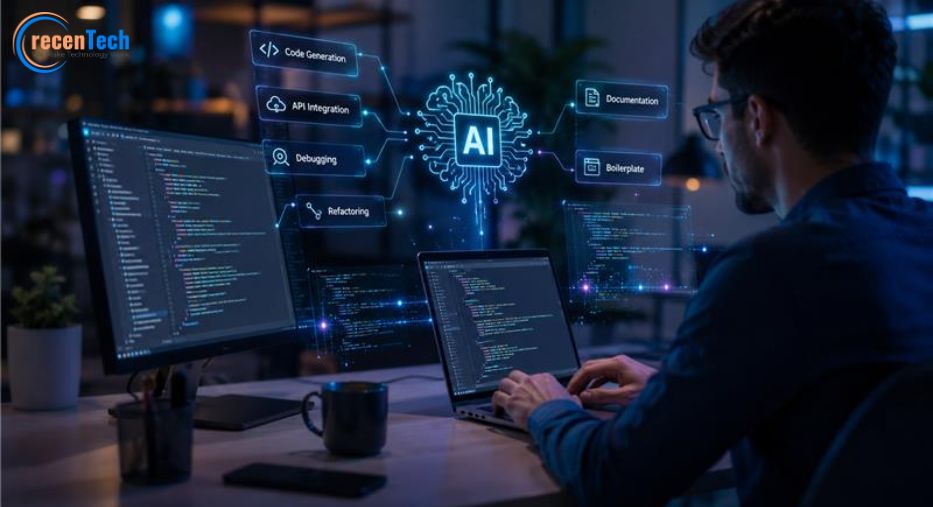
In 2026, AI is not replacing developers in custom software development with AI. It is becoming their most capable collaborator. It’s not a tool anymore; it’s a teammate. The businesses winning in 2026 are not cautiously evaluating AI pilots. They are embedding custom software development with AI into their core products.

This guide walks you through the complete custom software development with the AI process. You will learn how AI enhances every phase of the software development lifecycle (SDLC), which tools to use, and what challenges to watch for.

1. How AI Transforms Requirements

Here is how AI actually helps in requirement gathering:

  1. It takes notes. It records meetings so you don’t have to write everything down.
  2. It makes lists. It turns talking into clear steps for what to build.
  3. It writes the tasks. It creates simple instructions for the developers, including how to know when a job is finished.
  4. It finds mistakes. If two people say opposite things, AI spots it right away.
  5. It checks others. It looks at what other apps are doing, so you stay up to date.

Best Tools for AI Requirements in 2026

Claude & ChatGPT: The Brain. They read everything, spot contradictions, and catch missing details humans overlook.

Notion AI: The organizer. It turns messy notes into clear plans and keeps documents updated automatically.

Linear AI: The manager. It prioritizes tasks, finds duplicates, and feeds requirements directly to developers.

2. AI-Assisted System Design and Architecture

AI now helps teams make critical architectural decisions faster and with more data.

What AI Helps With

  1. Architecture diagram generation from natural language descriptions
  2. Tech stack recommendations with detailed trade-off analysis
  3. Scalability requirement estimation based on projected load patterns
  4. Database model suggestions with normalization guidance
  5. API specification generation in OpenAPI or Swagger format

Best Tools for AI Architecture in 2026

v0 by Vercel generates production ready React and Next.js UI components from natural language descriptions. It ships directly to Vercel Sandbox environments for agent preview and testing, making it a powerful bridge between architecture and implementation.

Claude & ChatGPT: The Planners. They help you decide how to build the system. They compare options (like one big app vs. many small ones) and write the setup instructions for your servers.

The Human Role

Human architects still make final decisions. AI provides options, trade-off analysis, and technical scaffolding. The human role shifts from drafting every diagram to evaluating AI-generated proposals and making strategic calls on microservices vs. monoliths, cloud vs. edge, and database selection.

3. UI/UX Design

AI Capabilities in Design

  1. Wireframe generation from text prompts
  2. User journey mapping with automated pain-point detection
  3. Accessibility recommendations for WCAG compliance
  4. Design variations for A/B testing
  5. UX optimization based on behavioral data
ToolBest For
Figma AIEmbedded generative capabilities, automatically generate responsive layouts, and maintain design system consistency.
v0 by VercelGenerates production ready React and Next.js components directly from prompts.
Galileo AICreates complete high-fidelity UI designs from simple text prompts.
Miro AISupports collaborative whiteboarding, brainstorming, and customer journey mapping.

The combination of AI design tools and AI coding assistants has compressed the design-to-code pipeline from weeks to days in custom software development with AI. Teams report shipping MVPs 3 to 4 times faster than traditional workflows.

3. Coding

This is where most organizations currently use AI in custom software development with AI. And where the transformation is most dramatic.

What AI Helps With

  1. Code generation from natural language specs
  2. Boilerplate creation for scaffolding, CRUD, and API endpoints
  3. API integration with auto-discovery of endpoints
  4. Debugging with root cause analysis
  5. Refactoring across entire codebases
  6. Documentation generation from code

The Agentic Revolution of May 2026

May 2026 was the most consequential month for agentic SDLC tooling since the category formed. Within a 72-hour window, the industry shifted from "AI assists a developer" to "an engineer orchestrates a fleet of sub-agents" in custom software development with AI.

ToolBest ForPricingKey Strength
Claude CodeLarge-scale refactoring, debugging, and complex codebase analysisUsage-based or approximately $100–200/monthSupports large context windows, strong reasoning capabilities, and multi-agent workflows for enterprise development teams.
Cursor 3.5Daily development tasks and parallel coding workflowsApproximately $20–200/monthAI-native IDE experience with agentic coding workflows and cloud-based execution environments.
GitHub CopilotDevelopment teams already using GitHub workflowsApproximately $10–39/monthDeep GitHub integration, extensive ecosystem support, and AI-assisted coding directly within popular IDEs.
Google Antigravity 2.0Agent-first and AI-native software developmentFree during public previewSupports dynamic AI agents and orchestration for complex development workflows.
OpenAI CodexAutonomous cloud-based coding and development tasksIncluded with ChatGPT Plus ($20/month)Cloud execution environments and AI-assisted coding through CLI and integrated tools.
WindsurfCost-effective agentic coding for individuals and small teamsApproximately $15/monthFast project indexing and AI agents optimized for code generation and navigation.
Devin 2.0Autonomous task execution and end-to-end engineering workflows$20/month plus usage-based compute costsHighly autonomous software engineering workflows accessible through web and collaboration tools.

Developers don’t write every line anymore. They’re more like directors, guiding AI to do the heavy lifting. Since almost everyone is using AI now and coding is way faster, the bottleneck isn’t writing code; it’s checking it. The hard part is making sure the AI’s work is actually good.

4. Testing

Testing is becoming one of AI's highest-value use cases in custom software development with AI.

What AI Automates

  1. Unit test generation from untested code paths
  2. Regression testing with intelligent test selection
  3. Bug prediction before code reaches production
  4. Visual testing for UI consistency
  5. Performance testing with load pattern simulation

Best AI Testing Tools for Custom Software Development with AI in 2026

  1. QA Wolf: End-to-end test automation
  2. Qodo: Multi-agent code review architecture with 56.7% recall for finding real bugs; generates unit tests for untested paths
  3. Testim: AI-powered test maintenance
  4. Mabl: Intelligent test automation
  5. Katalon AI: AI-augmented testing platform

5. DevOps and Deployment

What AI Supports

  1. CI/CD optimization with intelligent test selection
  2. Deployment recommendations based on change patterns
  3. Anomaly detection in pipeline metrics
  4. Automated rollback decisions when failures are predicted
  5. Infrastructure optimization with cost-aware resource allocation

Best AI DevOps Tools for Custom Software Development with AI in 2026

  1. CircleCI AI: Intelligent test selection, runs only tests affected by recent changes
  2. Harness AI: ML-based deployment verification, automated canary analysis, intelligent rollback
  3. GitHub Actions AI: AI-powered workflow suggestions, intelligent caching
  4. Mergify: Automated merge queue management with intelligent conflict detection
  5. Vercel Sandbox: Ephemeral Firecracker microVMs where agents preview, test, and validate before opening a PR in custom software development with AI

6. Security and Compliance

Security is increasingly embedded into custom software development with AI workflows.

What AI Helps With

  1. Vulnerability identification in code and dependencies
  2. Insecure code detection with pattern matching
  3. Dependency scanning for known CVEs
  4. Compliance policy enforcement for GDPR, SOC 2, and the AI Act
  5. AI Red Teaming: Dedicated adversarial testing for prompt injection, data poisoning, model inversion attacks, and bias exploitation

In 2026, regulatory frameworks in the EU (AI Act), India, and the USA require businesses to demonstrate explainability, fairness, and auditability in custom software development with AI. Responsible AI is no longer a nice-to-have. It is a commercial and regulatory requirement.

7. Monitoring and Maintenance

After launching, AI continues to provide value in custom software development with AI. It transforms maintenance from reactive to proactive.

AI Capabilities

  1. Predictive maintenance based on usage patterns
  2. Log analysis with automated anomaly detection
  3. Root cause analysis that correlates across services
  4. Customer behavior insights for feature prioritization
  5. Feature recommendations based on engagement data

Best AI Monitoring Tools for Custom Software Development with AI in 2026

  1. Datadog AI: AI-powered anomaly detection, automated root cause analysis, predictive alerting via Watchdog
  2. New Relic AI: Intelligent alerting, natural language querying of observability data
  3. Grafana AI: AI-driven anomaly detection for Prometheus/Loki stacks
  4. PagerDuty AI: ML-based alert correlation, noise reduction, automated incident response; exposes MCP server for agent remediation in custom software development with AI

The Rise of Agentic Teams in Custom Software Development with AI

One of the biggest trends in 2026 for custom software development with AI: organizations no longer use a single coding assistant. They deploy multiple specialized AI agents working in concerts.

Agent RoleFunction
Requirements AgentExtracts, validates, prioritizes, and maintains business requirements and user stories throughout the project lifecycle.
Architecture AgentRecommends system architectures, technology stacks, database designs, and scalability strategies.
Coding AgentGenerates code, refactors existing implementations, fixes bugs, and assists developers with feature development.
Testing AgentCreates unit and integration tests, identifies untested scenarios, and automates quality assurance processes.
Security AgentDetects vulnerabilities, performs dependency scans, and ensures compliance with security policies and best practices.
Documentation AgentMaintains up-to-date technical documentation, API references, and project knowledge synchronized with the codebase.

The Three Building Blocks of AI-Powered Software Development

Modern AI-driven software development is built around three key technologies that help teams build software faster and more efficiently.

1. Model Context Protocol (MCP)

Think of MCP as a universal connector that allows AI tools to communicate with business platforms and development tools without requiring custom integrations.

For example, an AI assistant can:

  1. Pull tasks from project management tools like Linear
  2. Check application performance data
  3. Write code in a secure environment
  4. Create pull requests automatically

This allows AI tools to work across multiple systems as part of a single workflow.

2. Specialized AI Agents

Instead of relying on one AI assistant to do everything, modern development teams use multiple AI agents, each with a specific responsibility.

Examples include:

  1. A requirements agent that manages project requirements
  2. A coding agent that writes and refactors code
  3. A testing agent that creates and runs tests
  4. A security agent that scans for vulnerabilities

These agents can work on different tasks at the same time and then combine their results, significantly speeding up development.

3. Secure Sandboxes

Sandboxes are temporary and isolated environments where AI-generated code can be tested safely before it reaches production systems.

This helps teams verify that new code works correctly and does not introduce security or performance issues before deployment.

As a result, developers in 2026 are spending less time writing repetitive code and more time guiding AI systems, reviewing outputs, and making strategic decisions that drive business value.

Challenges of Custom Software Development with AI

AI is great at sounding confident, even when it’s wrong. Here are the real challenges of custom software development with AI:

ChallengeDescriptionMitigation
Hallucinated CodeAI may generate code that looks correct but contains errors, incorrect logic, or does not function as expected.Use mandatory human code reviews, sandbox testing environments, and automated testing frameworks.
Security ConcernsAI-generated code can introduce security vulnerabilities or unsafe dependencies.Implement security-focused AI agents, vulnerability scanning, code reviews, and AI security testing.
IP OwnershipOwnership and licensing rights for AI-generated code may not always be clear.Create clear AI usage policies and use enterprise-grade AI tools with proper audit trails and governance controls.
Compliance IssuesAI-powered development must comply with regulations such as GDPR, AI regulations, and industry-specific standards.Apply responsible AI practices, maintain transparency, ensure explainability, and conduct regular compliance audits.
Over-Reliance on AutomationExcessive dependence on AI can reduce developers' understanding of the software architecture and codebase.Require developers to review and understand AI-generated code while maintaining updated technical documentation.
AI GovernanceOrganizations may lack clear ownership and accountability for AI-driven decisions.Establish AI governance frameworks, assign responsibilities, and define clear review and escalation processes.

Traditional vs. Custom Software Development with AI Comparison

StageTraditional SDLCCustom Software Development with AI
RequirementsWeeks of stakeholder interviews and static documentationFaster requirement gathering with AI-powered analysis, living documents, and automated gap identification
DesignManual wireframing with slower feedback cyclesAI-assisted prototyping and faster design iterations, enabling quicker MVP development
DevelopmentFully manual coding and implementationHuman + AI collaboration that improves developer productivity and accelerates coding workflows
Code ReviewManual reviews that can create development bottlenecksAI-assisted code reviews that identify issues faster and improve review efficiency
TestingMostly manual testing with limited coverageAutomated testing with AI-generated test cases and improved quality coverage
DeploymentManual monitoring with reactive issue resolutionAI-powered monitoring with predictive insights and proactive performance management
MaintenanceReactive support focused on fixing issues after they occurPredictive maintenance that identifies potential problems early and reduces resolution time

Conclusion

The biggest change in 2026 is not that AI writes code.

The biggest change is that AI participates in every phase of custom software development with AI while humans focus on strategy, architecture, quality assurance, and business outcomes.

Organizations adopting custom software development with AI are shipping software faster, reducing costs, and improving delivery quality without removing developers from the loop. The winning teams are those that treat MCP, sub-agents, and sandboxes as first-class architecture, not afterthoughts.

The question is no longer whether your business will be transformed by custom software development with AI. It is whether you will lead that transformation or be reshaped by it.

FAQs

AI assists every phase of your SDLC from requirements to design, coding, testing, and deployments separating humans so they can own strategy and decisions.

No. AI handles boilerplate and repetitive tasks. Your developers focus on architecture, strategy, and business logic.

This totally depend on your use cases. Normally, Claude Code, Cursor, GitHub Copilot, v0, and proprietary agent orchestration are being used widely.

Yes. We run security scans, dependency checks, and AI Red Teaming on every build. Your IP stays yours.

Your current SDLC, pain points, AI readiness, and a high-level plan.

Yes. We integrate with your developers, tools, and processes, not replace them.

Requirement form