To sum things up, there is no single right answer to the debate of Cloud-Based vs On-Premises CRM Solutions. The best choice depends on your budget, your team, and your industry. Choose a cloud system if you want low upfront costs, fast setup, and easy growth. It is perfect for teams that work from different locations and want to avoid IT headaches. Choose an on-premises system if you require complete control over your files, have a strong IT team, and must meet strict data laws. It is a solid long-term investment for large organizations with stable needs.
How do you keep track of the people who buy from you? Years ago, shop owners wrote names in paper books. Today, we use special tools on computers to remember every detail about our buyers. This special tool is customer relationship management software. But before you buy one, you have to make a huge choice. You must look at Cloud-Based vs On-Premises CRM Solutions to see where your files will live.
This decision changes how your team works every single day. Some business leaders want their data in the clouds. Other leaders want their data in a physical room down the hall. Let us look at both options to find the perfect fit for your goals.
For businesses that want a perfect match, Crecentech System can help you pick and build your customer tool.
Understanding the Two CRM Choices
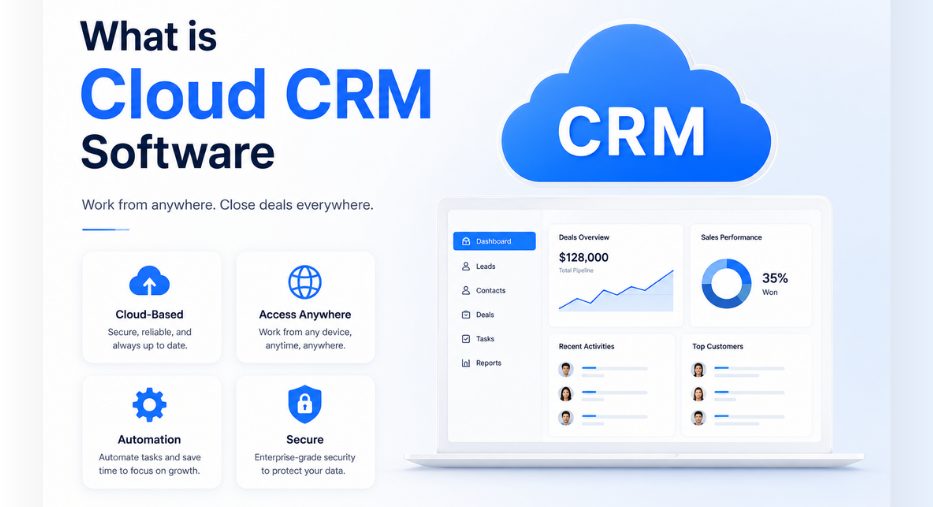
To start, let us talk about the cloud option. Cloud CRM software keeps your facts on the internet. You do not buy big computer boxes for your office. Instead, you pay a monthly fee to use the tool over the web. This is often called a SaaS CRM. Many small and big companies love this idea because it is fast to set up. You just open a web browser, type your password, and start tracking your leads.
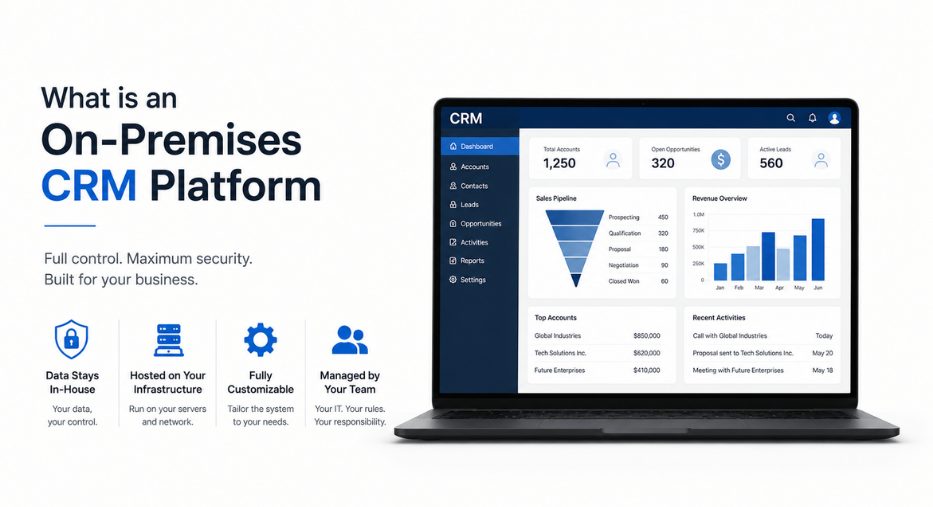
An on-premises CRM platform lives right in your office building. You must buy your own physical machines to hold the files. This is also called a self-hosted CRM. It gives you complete ownership over everything. But you also have to pay people to watch and fix those machines.
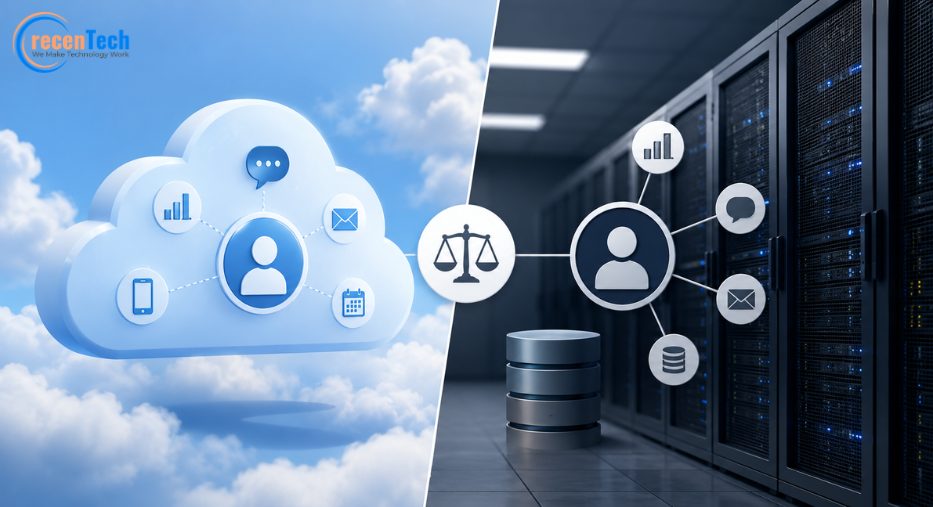
When you compare Cloud-Based vs On-Premises CRM Solutions, you are comparing renting a home to owning a home. Renting is easy and fast. Buying a home gives you total control, but you have to fix the roof when it leaks.
What is Cloud CRM Software
Cloud computing has changed the way we work. When you choose a cloud setup, a vendor manages the IT infrastructure for you. You do not need to worry about server management or database management. The vendor takes care of all those hard jobs.
Many popular tools use this model today. You have probably heard of Salesforce, Zoho CRM, and HubSpot CRM. Other great options include Odoo Developement, Freshsales, and Insightly. These systems let your team work from anywhere. If a sales rep is at a coffee shop, they can see customer insights instantly. If a worker is at home, they can use marketing automation to send emails.
This modern technology uses virtualization to share space on big web servers. It is usually hosted on a public cloud, but some companies pay for private clouds. If you want a mix of both, you can even use a hybrid cloud. No matter which you choose, the software deployment is incredibly quick.
What is an On-Premises CRM Platform
The on-premises system is different. It relies on your internal computer network. You must set up a physical data center in your building. Your local team handles the software deployment from scratch. This means you need strong server management skills.
Some of the biggest companies in the world still choose this path. They might use Microsoft Dynamics 365, SAP CRM, or Oracle CRM. These systems are great for enterprise CRM solutions because they offer deep access. If you have an ERP system already, you can connect them together easily.
The Real Total Cost of Ownership
When we talk about business, money is always important. Let us look at the financial side of Cloud-Based vs On-Premises CRM Solutions. The price tags look very different at the start.
With a cloud system, you do not need much money to begin. You pay for CRM licensing on a subscription basis. You pay per user every month. This makes cost optimization very simple for small teams. But over five or ten years, those monthly fees can add up to a large amount of money.
With an on-premises system, you pay a lot of money upfront. You must buy hardware, software licenses, and physical space. This is a major CRM total cost of ownership factor. But once you pay that big fee, your ongoing monthly costs are very low.
Security and Control Over Your Facts
Keeping customer data safe is a top priority for everyone. Let us compare the security of Cloud-Based vs On-Premises CRM Solutions. Both paths offer strong protection, but they do it in different ways.
A cloud vendor spends millions of dollars on cybersecurity. They hire top experts to watch their networks. They use advanced tools like multi-factor authentication and data encryption to stop bad actors. They also make sure they meet top rules like GDPR, HIPAA, ISO 27001, and SOC 2. If you are a small business, a cloud vendor can protect your files much better than you could on your own.
But some industries have very strict compliance management laws. A bank or a hospital might want to complete physical control over their database. With an on-premises CRM platform, you have full access control. You know exactly which room your physical drives are in. You do not have to trust a third party with your customer data management.
Yet, you must remember that you are responsible for identity management and defending against hackers. If your internal system gets a virus, you must fix it yourself.
Customization and Connecting Your Tools
Your business is unique. You do not run your company the same way your competitors do. That means you need a system that fits your specific workflows.
With an on-premises setup, you get unlimited CRM customization. Since you own the code and the servers, you can change anything you want. You can build complex features for sales automation, lead management, and contact management. You can also design a custom analytics dashboard to show exact reporting tools.
Cloud tools are also very flexible, but they have some limits. You must work within the rules of the SaaS CRM provider. You can still use API integration to connect to your software. For example, you can connect your CRM to your business intelligence tools. But if you want to make a very unusual change, a cloud system might say no.
Still, modern cloud systems like SugarCRM or HubSpot CRM make CRM integration easier than ever before. They have prebuilt connections for almost every tool you use.
Speed Performance and Growth
Every business owner wants their company to grow. Your customer tool must be ready to grow with you. Let us look at how Cloud-Based vs On-Premises CRM Solutions handle growth.
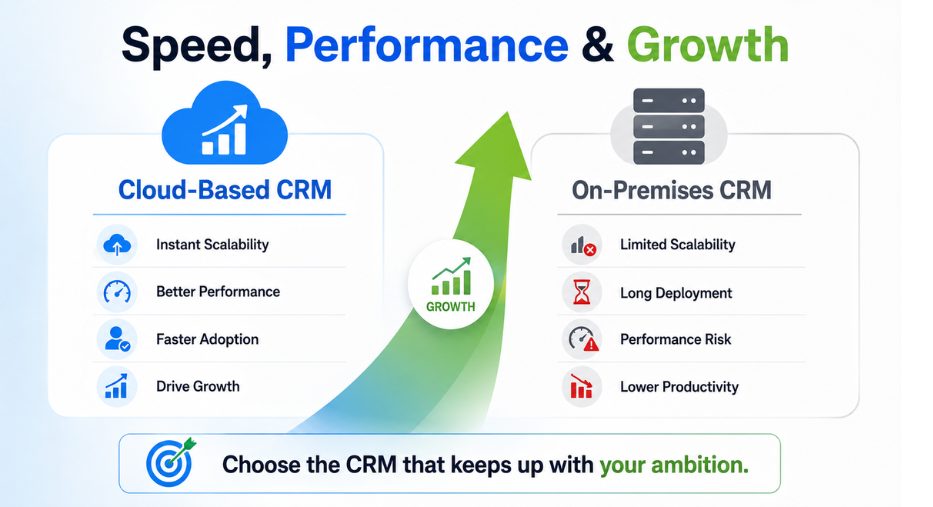
If your business grows fast, cloud systems offer amazing CRM scalability. Let us say you hire ten new sales reps today. With a cloud system, you just buy ten more licenses. Your new workers can log in within five minutes. The system automatically handles the extra workload without slowing down.
With an on-premises system, business scalability is much harder. If you hire ten new reps, your current servers might get too crowded. You might have to buy more physical hardware. This process can take weeks.
In addition, CRM performance can suffer if your physical machines are old. You must keep your hardware updated to ensure high speed. If your servers get slow, your sales reps will waste time waiting for pages to load. This can hurt productivity improvement and stop you from hitting your revenue growth goals.
To make your transition smooth and boost your sales, partner with Crecentech System today.
The CRM Implementation Journey
Setting up a new system is a major project. It is not just about installing software. You must train your people and move your files.
Cloud CRM implementation is usually very fast. The software is already built and running on the web. You just need to import your contact list. Your team can start using customer service and workflow automation features almost immediately.
An on-premises CRM deployment strategy is a much longer road. Your IT team must set up the physical hardware first. Then they must install the operating systems and database tools. After that, they can install the CRM itself. This whole process can take months to complete.
If you are moving from an old system, you must also plan for CRM migration. Moving thousands of customer files can be tricky. You do not want to lose any phone numbers or purchase history.
Digital Transformation and Your Future
Choosing between these options is a big step in your digital transformation journey. It is not just about technology. It is about how you want to run your business for the next ten years.
Cloud tools make it easy to adopt new technology. Many cloud systems now use artificial intelligence and machine learning to score your leads. They can predict which customers are about to leave. This helps you focus on customer retention.
On-premises systems can also use smart technology, but you must install and manage those tools yourself. This requires a very high level of technical expertise.
Comparing Key Features of Both Options
Let us look at how both choices perform in daily business life.
- In a cloud setup, CRM maintenance is completely hands off. The software vendor updates the tool automatically. You do not have to stop your work for updates. They usually happen late at night when your team is asleep.
- In an on-premises setup, your team must schedule CRM maintenance. This might mean turning off the system during the weekend. If an update goes wrong, your business operations might stop on Monday morning. This can hurt your business continuity.
When it comes to backup files, cloud systems are very safe. They automatically copy your facts to multiple data centers. If one data center has a power outage, another one takes over instantly. With an on-premises system, you must create your own backup plan. You must copy your files to external drives and store them in a safe place.
Final Words
To sum things up, there is no single right answer to the debate of Cloud-Based vs On-Premises CRM Solutions. The best choice depends on your budget, your team, and your industry. Choose a cloud system if you want low upfront costs, fast setup, and easy growth. It is perfect for teams that work from different locations and want to avoid IT headaches. Choose an on-premises system if you require complete control over your files, have a strong IT team, and must meet strict data laws. It is a solid long-term investment for large organizations with stable needs.
Take your time to look at your business goals. Talk to your team and look at your budget. The right tool will help you build stronger relationships with your customers and grow your business for years to come.